Granting the Loyva Support Team Access to Your Account
When you move to Loyva, our support team needs your permission before we can help set up your account and upload your clients. This article walks you through granting that access so we can get you up and running.
Before you begin
Make sure you have created your Loyva account and can sign in. If you have not received your account invite yet, reach out to your Loyva contact.
Step 1: Sign in to Loyva
Sign in to your Loyva account using the credentials you set up.
Step 2: Open Support in Settings
From the main navigation, go to Settings.
Within Settings, open Support.
Step 3: Grant Loyva Support Access
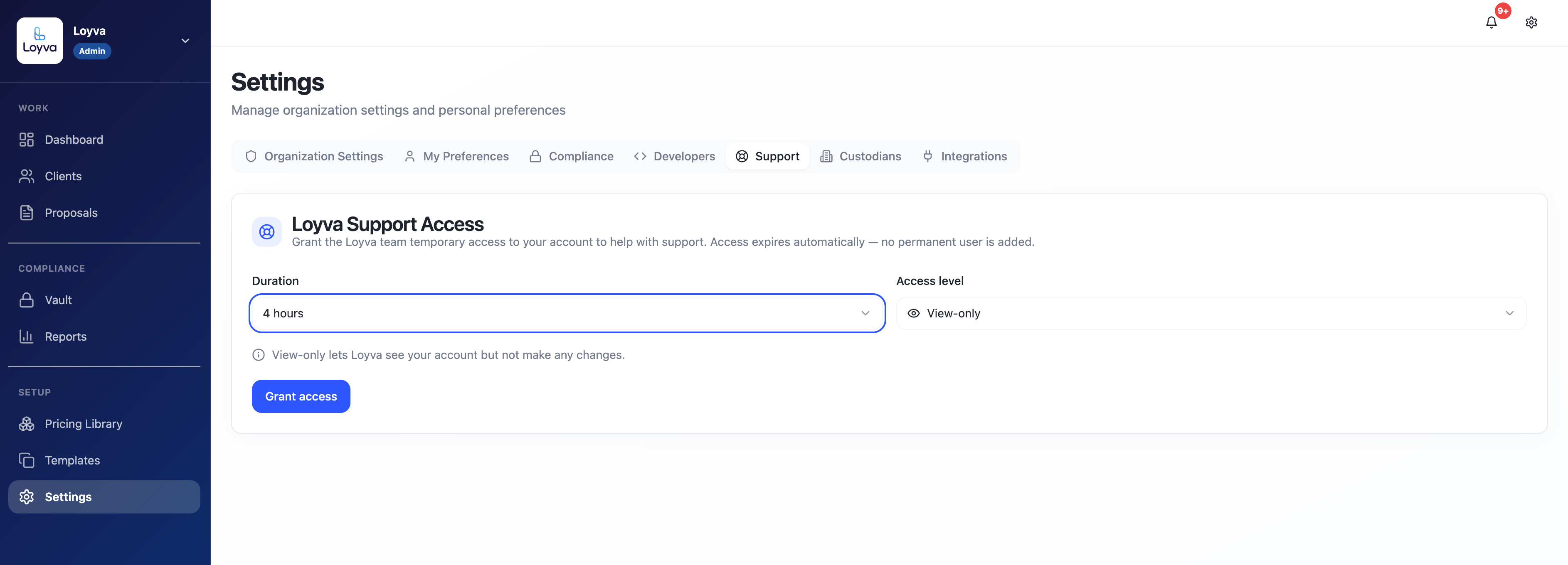
On the Support page, find the Loyva Support Access section.
Grant access to our team.
Set the access level from 4 hours - 8 hours - 24 hours. If you prefer, you can allow up to 24 hours before switching it to Full Access.
Questions? Reach out to your Loyva contact any time.
Was this helpful?
Still need help? Ask the team