Getting Paid with Loyva Payments
Loyva Payments is the built-in billing system inside the Loyva platform. It lets your security company collect payment as part of the same workflow you already use to send agreements and get them signed — whether that's a one-time installation charge, recurring monthly monitoring (RMR), or both on the same invoice.
Loyva Payments is powered by Stripe under the hood, so funds land directly in your own Stripe account. There is no second login for your customers and no separate payment portal for your team to manage.
What you can do with Loyva Payments
Collect a credit card, debit card, ACH transfer, Apple Pay, or Google Pay payment as part of a signed agreement.
Send branded, hosted invoices for one-time charges, recurring RMR, or hybrid (install + monitoring) deals.
Automatically convert the billing terms in a signed contract into an active subscription — no double entry.
Sync invoices and payments into QuickBooks so your books stay clean.
Give your customers a self-serve portal to update their card, view invoices, and manage their subscription.
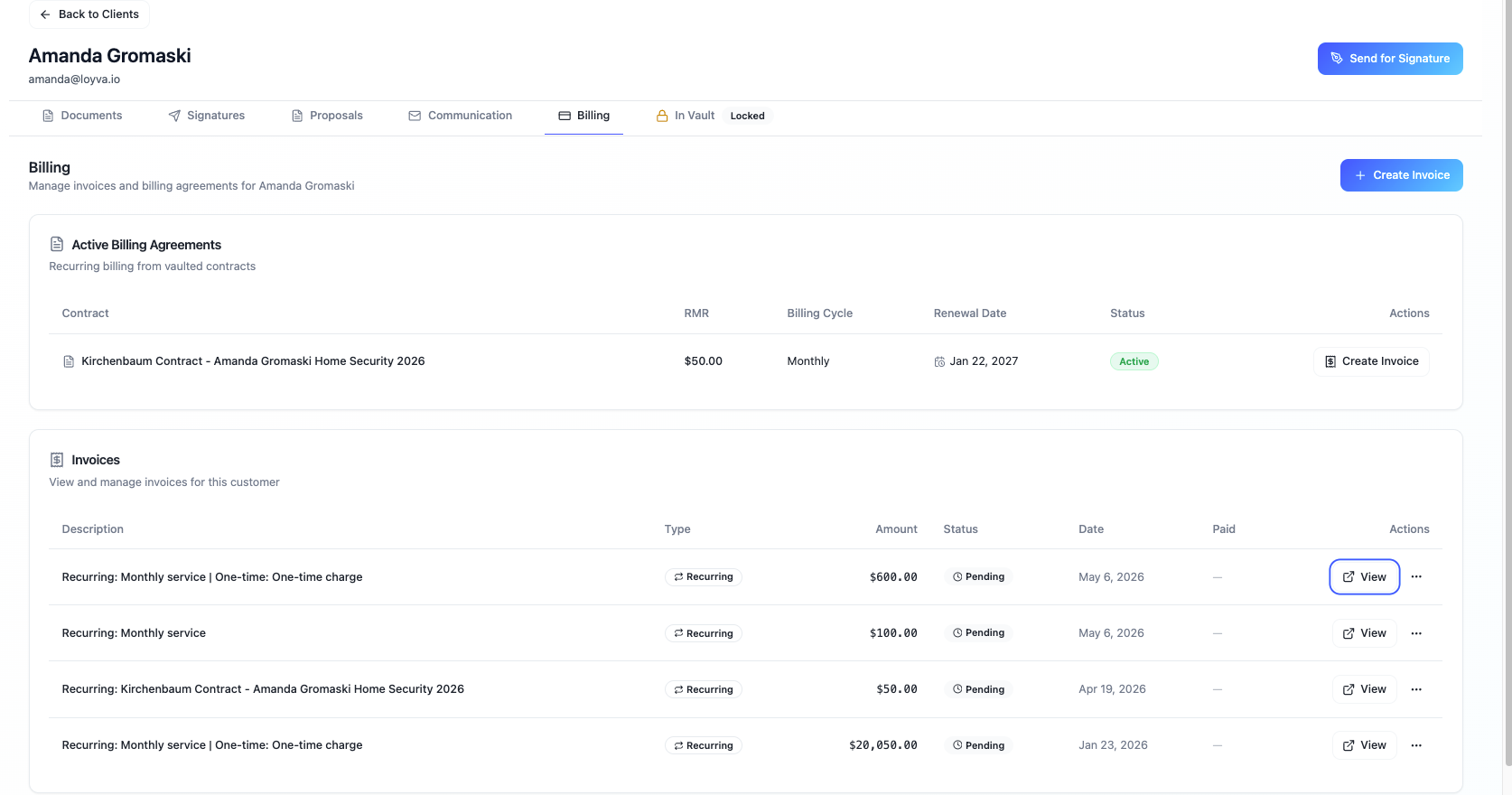
Send an invoice after signing
For deals where the dollar amounts depend on the final scope (prorated first month, multi-site rollouts, custom equipment lists), you can skip the in-document payment field and let Loyva generate a Stripe-hosted invoice once the contract is signed.
Invoices come in three flavors:
One-time — single charge, due on receipt or net terms.
Recurring (RMR) — monthly, quarterly, or yearly monitoring revenue on a fixed schedule.
Hybrid — a one-time line item (install, activation, equipment) combined with a recurring subscription on the same first invoice. Great for "$499 install + $49/month monitoring."
Each invoice is branded with your company logo and colors, hosted by Stripe at a secure link, and emailed directly to your customer. Reminders are sent automatically if the invoice goes past due.
Automated billing from signed contracts
Loyva reads the billing terms (amount, frequency, start date, term length) from the signed agreement's metadata and turns them into a Stripe subscription automatically. You do not have to re-enter the monitoring rate, the start date, or the contract length into a separate billing tool — once the customer signs, the billing schedule is live.
If you later need to adjust a subscription (price change, add-on service, cancellation), you do it from the Loyva billing screen and the changes flow into Stripe.
Authoritative Copy and legal enforceability
Every signed agreement is vaulted as an Authoritative Copy under UCC § 9-105. Each invoice and subscription created in Loyva is linked back to that authoritative document, so when a customer disputes a charge or you need to enforce the contract, the chain from "signed agreement" to "amount billed" is intact and auditable.
This matters for security companies because monitoring contracts are often financed, sold, or used as collateral — and the buyer or lender will want proof that the underlying agreement is enforceable.
QuickBooks sync
Connect your QuickBooks Online account and Loyva will:
Create the customer in QuickBooks if they don't exist yet.
Push each invoice over as it's generated.
Record payments against the matching invoice when Stripe collects funds.
You keep using QuickBooks as your source of truth for accounting, while Loyva handles the customer-facing billing.
Customer self-service
Every customer gets access to a Stripe-hosted billing portal where they can:
Update their card or bank account.
Download past invoices and receipts.
See their next billing date and current subscription.
Reducing inbound "can you update my card?" calls keeps your office staff focused on monitoring and operations.
Pricing
Loyva Payments charges a 1% platform fee on top of Stripe's standard processing fees. There is no monthly minimum and no setup fee. You connect your own Stripe account, so payouts go directly to your bank on Stripe's normal schedule.
Frequently asked questions
Can I charge an installation fee and monthly monitoring on the same invoice? Yes. Use a hybrid invoice — the first invoice combines the one-time install charge with the first month of monitoring, and the subscription continues on the schedule you set.
Does my customer pay during signing or after? Either works. Add a payment field to the agreement if you want payment captured at signing. Leave it off if you'd rather review the deal and send a hosted invoice afterward.
How do I handle a prorated first month? When you create the subscription, set the billing anchor date to the day you want regular billing to start. Loyva will calculate the prorated amount for the partial first period and add it to the first invoice.
What happens if a recurring payment fails? Stripe automatically retries the card on a smart schedule and emails the customer. You'll see the failed invoice flagged in Loyva so your team can follow up if it stays unpaid.
Do I need my own Stripe account? Yes. Loyva uses Stripe Connect, which means funds settle into a Stripe account in your company's name. You'll be prompted to connect (or create) one the first time you enable payments.